How to Login Stackmail Mailbox

by | Last updated Oct 28, 2024 | Stackmail Tutorials

login stackmail

This guide covers stackmail login. It is an easy, step-by-step guide to help you get started with your stackmail mailbox.

To be able to login to your staff mailbox, go to www.stackmail.com
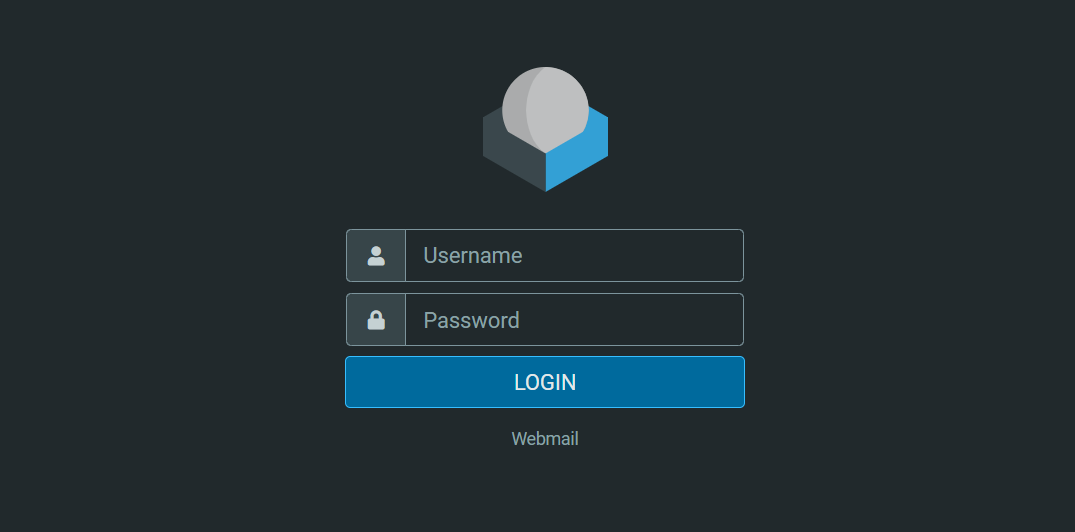
stackmail login window

Once on the login screen, enter the following details:

Username: youremailaddress

Password: Your password

Example:

To log into the mailbox with email ID: yourname@websitename.com with the password: Helipad12

Here is how it will be:

Username: yourname@websitename.com

Password: Helipad12

Once you have logged in, you will be able to send and receive emails, and email attachments.

Here is a short video showing you the steps:

If you run into any problems, do not hesitate to get in touch.

Other Guides on Stackmail

Shop Divi Products

Buy nicely done Divi Layouts, Child themes, and extensions for your next Divi project.

Related Articles

How to Add a Signature to Your Emails in Webmail (Stackmail)

How to Add a Signature to Your Emails in Webmail (Stackmail)

To add a signature to your emails in webmail (Stackmail), you will need to follow these steps: https://youtu.be/QajHSDZptOk Log in to your stackmail account - usually located at www.stackmail.com Click on "Settings", which is usually located on the left side of the...

How to Set Up Stackmail Account on Gmail App

How to Set Up Stackmail Account on Gmail App

You have been able to login into your new mailbox, now, here is how to setup stackmail account on Gmail app. This will not only make logging into your mailbox easier but also let you have access to your mailbox at your fingertips. You can always send and respond to...

Leave a Comment

0 Comments

Submit a Comment

Your email address will not be published. Required fields are marked *

WP101 - FREE WordPress Tutorials

Enter your email address below to gain access to the FREE WordPress training.

You have Successfully Subscribed!

Pin It on Pinterest