

In some cases, you may need to make a single menu item look a little unique so as to attract attention. It may be a menu item like “Sign Up” or “Shop Now” link.
See, Divi theme, and almost other WordPress themes, don’t provide this option under the Theme Customizer. So, you will need to add a few lines of CSS to make this happen.
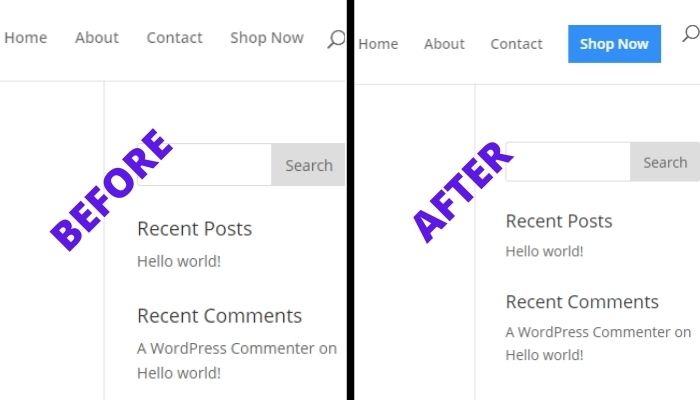
Instead of using the unique ID of the menu item, we will use a custom class to make the whole process a lot easier.
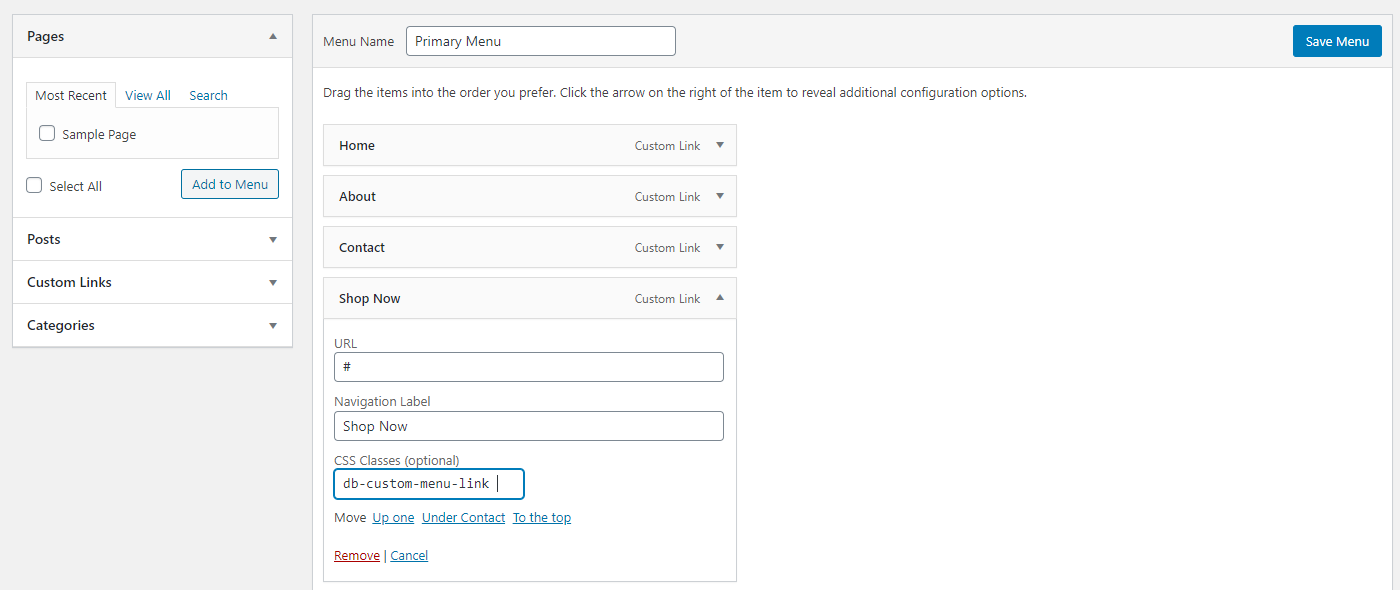
On your WordPress admin dashboard, go to Appearance >> Menus, the click on Screen Options at the top right of the screen.
Now, ensure that the box next to CSS Classes under Show Advanced Menu Properties is checked.

Go to the menu item you want to customize, then add the class db-custom-menu-link in the CSS Classes (Optional) field and save your menu.
Finally, add the following CSS to your Divi theme options custom CSS box or in the child theme stylesheet.
.db-custom-menu-link a {
padding: 10px !important;
background: #328FF8;
color: #fff !important;
border: 2px solid #328FF8;
}
.db-custom-menu-link a:hover {
background: #fff;
color: #000 !important;
opacity: 1 !important;
}
You can be creative with the code and add any properties you want on the link. You can change the color, and even how the button behaves on scrolling.
That’s it for now. To be able to receive more of these tips. Subscribe to my newsletter.

0 Comments