
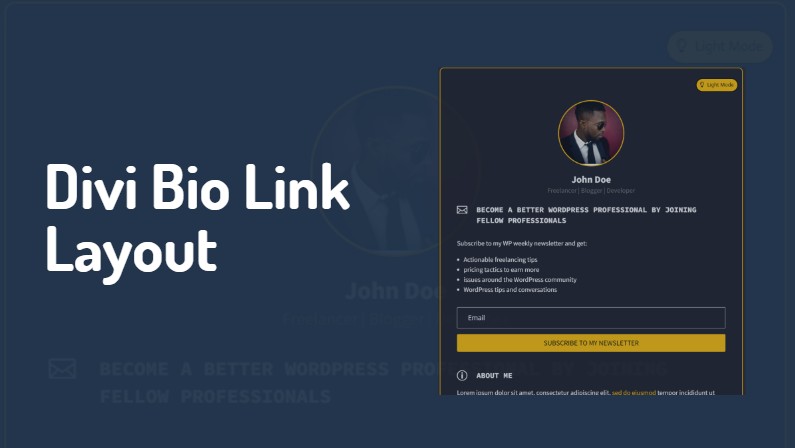
We’re excited to introduce Divi Bio Link Layout, a game-changing product designed for website designers, freelancers, developers, writers, and business owners who want to create stunning bio link pages with ease and flexibility.
Say Goodbye to Limitations
It’s time to ditch Linktree and the likes and embrace the freedom to design exactly what you envision. Divi Bio Link Layout empowers you to craft clean, stylish, and personalized bio link pages that truly represent your brand or personality.
Plug and Play Simplicity
Creating your perfect bio link page has never been easier. All you have to do is import the pre-designed layout into your Divi website and load it onto your page in just a few clicks. It’s that simple.
Light and Dark Mode Options
We understand the importance of versatility. That’s why Divi Bio Link Layout comes with two distinct pages:
Choose the style that best fits your aesthetic or offer both options to your visitors for an enhanced user experience.
Key Features
- Responsive Design: Your bio link page will look great on any device, from smartphones to desktops.
- Easy Customization: Customize the layout to your needs without breaking a sweat.
- No Coding Required: We’ve utilized only basic Divi builder modules, making it accessible for users of all skill levels.
- Stylish Email Opt-in Form: Grow your mailing list with an attractive, built-in form.
- SEO Optimized: Ensure your bio link page gets the visibility it deserves in search results.
Getting Started is Very Easy
After downloading the Divi Bio Link Layout, follow these simple steps:
- Import the layout to your Divi website through Divi >> Divi Library
- Create your new page and load the layout from the Divi Library
- Replace the placeholder text and images with your own content
- Configure the email optin form
- Remove any sections you don’t need
- Launch your personalized bio link page
To make the process even smoother, we’ve included detailed documentation that guides you from the initial setup to the final publication of your page.
Why Choose Divi Bio Link Layout?
In today’s digital landscape, having a professional and eye-catching bio link page is crucial for making a strong first impression. Whether you’re a social media influencer, a freelance professional, or a business owner, Divi Bio Link Layout offers the perfect solution to showcase your links, portfolio, and contact information in a sleek, organized manner.
By using Divi Bio Link Layout, you’re not just creating a page – you’re crafting an experience. The customizable nature of this product ensures that your bio link page will stand out from the crowd and effectively represent your unique brand.
Ready to Elevate Your Online Presence?
Don’t settle for cookie-cutter bio link pages any longer. With Divi Bio Link Layout, you have the power to create a stunning, functional, and personalized hub for all your important links.
It’s time to make your mark online with a bio link page that truly reflects who you are and what you do.
Get started with Divi Bio Link Layout today and transform the way you connect with your audience.

0 Comments