

In this guide, I’ll walk you through the process of buying Divi Theme and why it’s an excellent choice for your website.
Why Choose the Divi Theme?
Intuitive Visual Builder: The Divi Builder is a game-changer, enabling you to design and modify your website’s layout in real-time, with instant visual feedback.
Pre-made Layouts: Divi comes with thousands of pre-designed layouts and templates that cater to various industries and website types. This saves you time and provides a solid foundation for your website.
Responsive Design: In today’s mobile-centric world, having a responsive website is crucial. Divi ensures that your site looks great and functions flawlessly across all devices.
Regular Updates and Support: Elegant Themes consistently updates the Divi Theme to ensure compatibility with the latest WordPress version and provide optimal security. Moreover, their support team is readily available to assist you with any issues.
Community and Resources: Being a widely used theme, Divi has a large and active community. You can find helpful resources, tutorials, and tips to enhance your website-building experience.
Steps to Buy the Divi Theme
Purchasing the Divi Theme is a straightforward process. Here’s a step-by-step guide to help you get started:
Step 1: Visit the Elegant Themes Website
Head to the Elegant Themes website (www.elegantthemes.com) and click on the “Pricing” button.
Step 2: Choose Your Plan
Elegant Themes offers two subscription options: Yearly Access and Lifetime Access. The Yearly Access plan grants you access to all their themes, plugins, and updates for one year for US$89, while the Lifetime Access plan gives you unlimited access with a one-time payment of US$249.
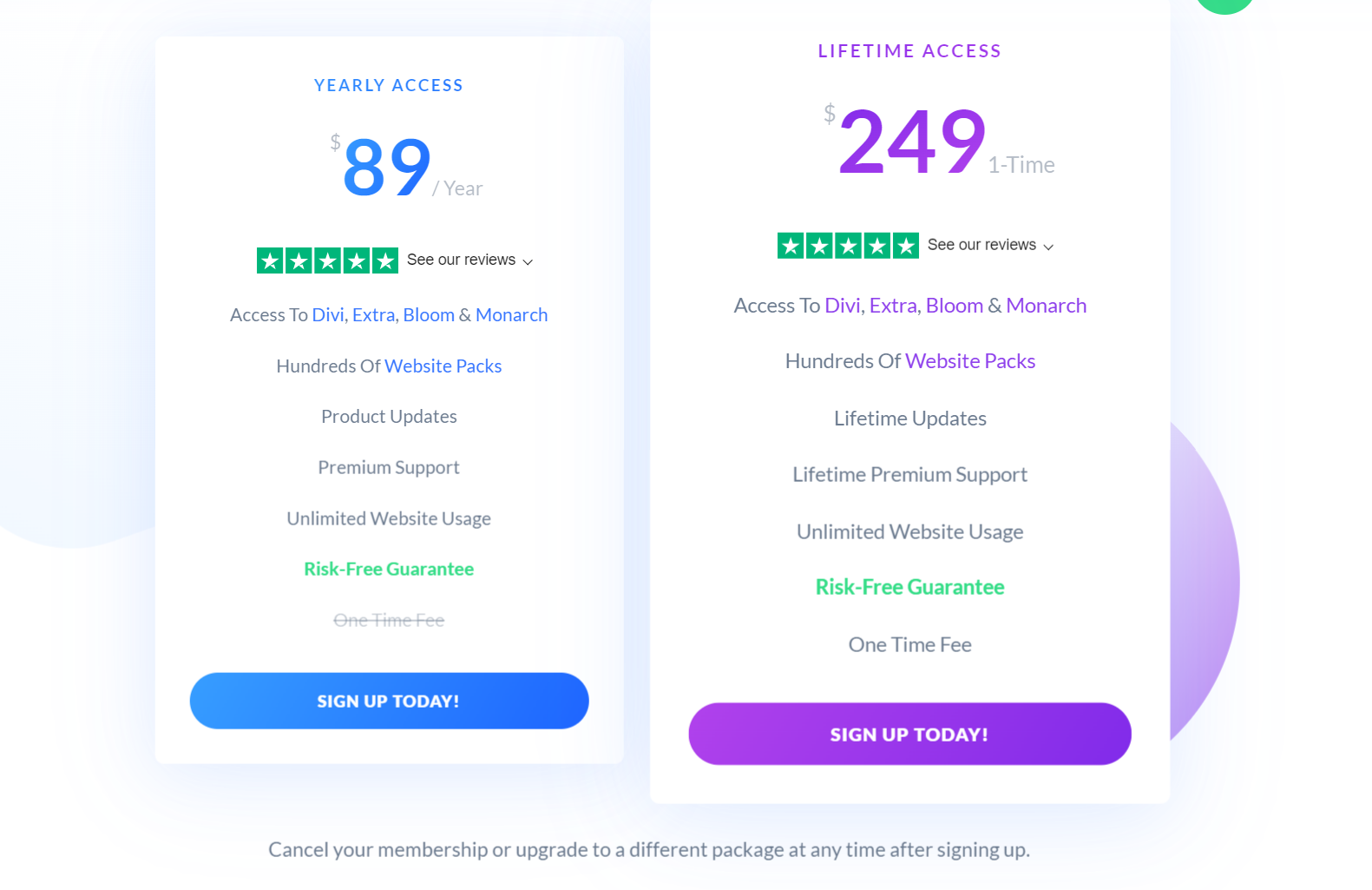
Select the plan that suits your needs and budget.
Step 3: Create an Account
To proceed with the purchase, you’ll need to create an account on the Elegant Themes website. You’ll be asked to provide your personal details and payment information securely.
Step 4: Complete the Purchase
After creating your account, review your order and finalize the purchase by making the payment. Elegant Themes accepts major credit cards and PayPal for your convenience.
Step 5: Download and Install Divi
Once the purchase is complete, log in to your Elegant Themes account, navigate to the “Downloads” section, and download the Divi Theme files.
Then, head to your WordPress dashboard, go to “Appearance” > “Themes” > “Add New,” and upload the Divi Theme. Activate it, and you’re ready to start building your stunning website!
Pro Tip: How to Install Divi theme and Activate License (Beginners’ Guide)
By following the steps outlined in this guide, you can purchase the Divi Theme and embark on a journey to build a remarkable online presence that reflects your unique brand or vision. Happy website building with Divi!

True to their words, they deliver.
I recommend!